National 5 Computing Science
-

National 5 Computing Science revision
Understand it. Practise it. Pass it.
Everything in the N5 course, taught with interactive simulations, real code you write yourself, and exam-style questions that tell you exactly what gains the mark.
819exam-style questions, all with feedback41interactive simulations41coding lessons with 122 self-checking exercises271past-paper questions matched to topicsSee it in action
Swipe or scroll sideways, or use the arrows. Every picture is the real site.
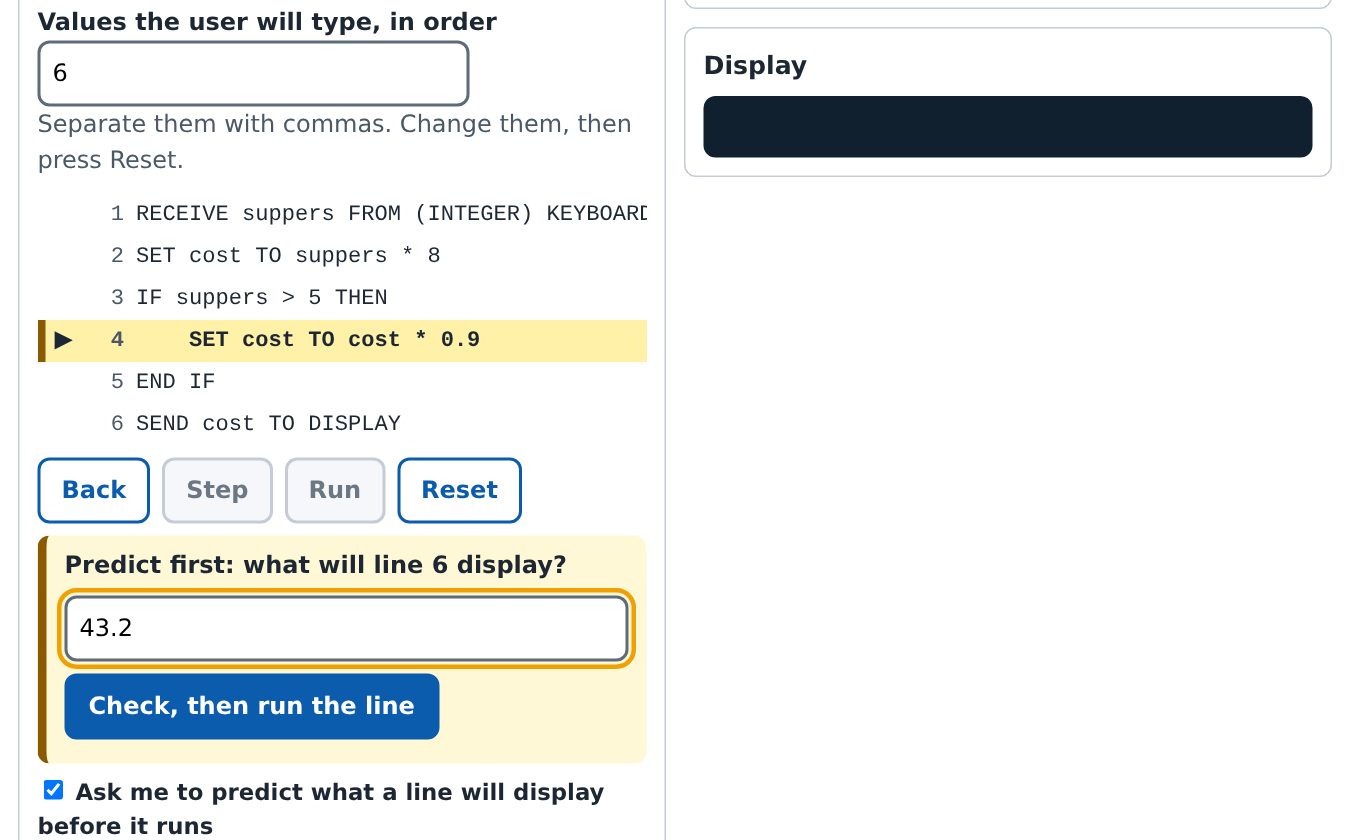
Predict, then run. Simulations step through programs line by line and ask what will happen before it does. 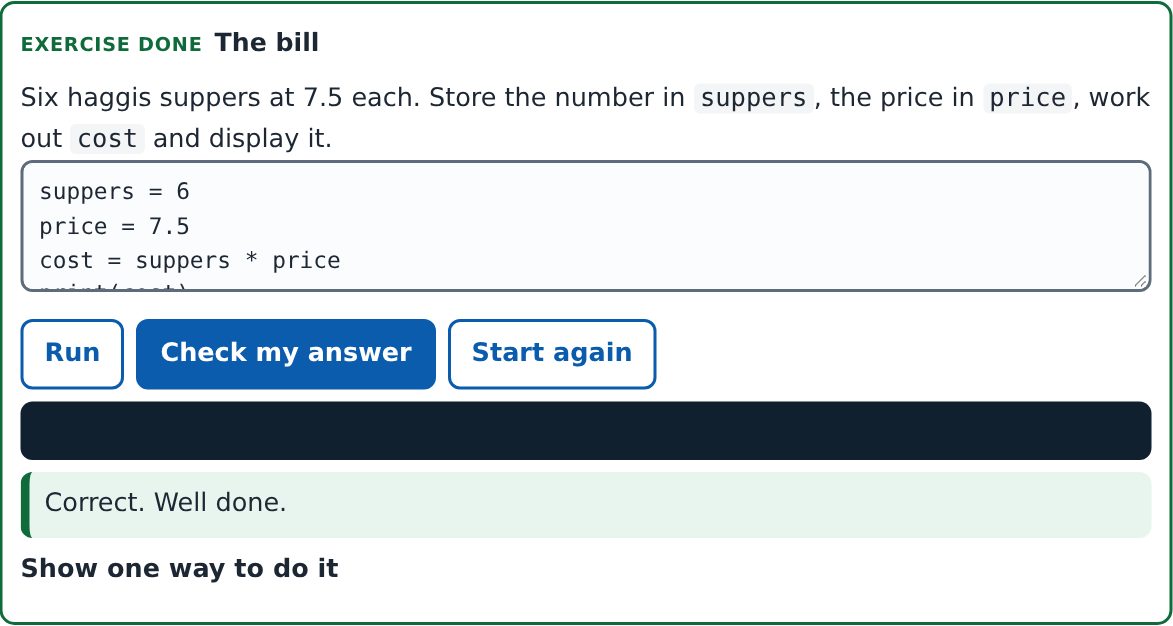
Real code, checked for you. Write Python and web pages in the browser. Exercises check themselves and save as you go. 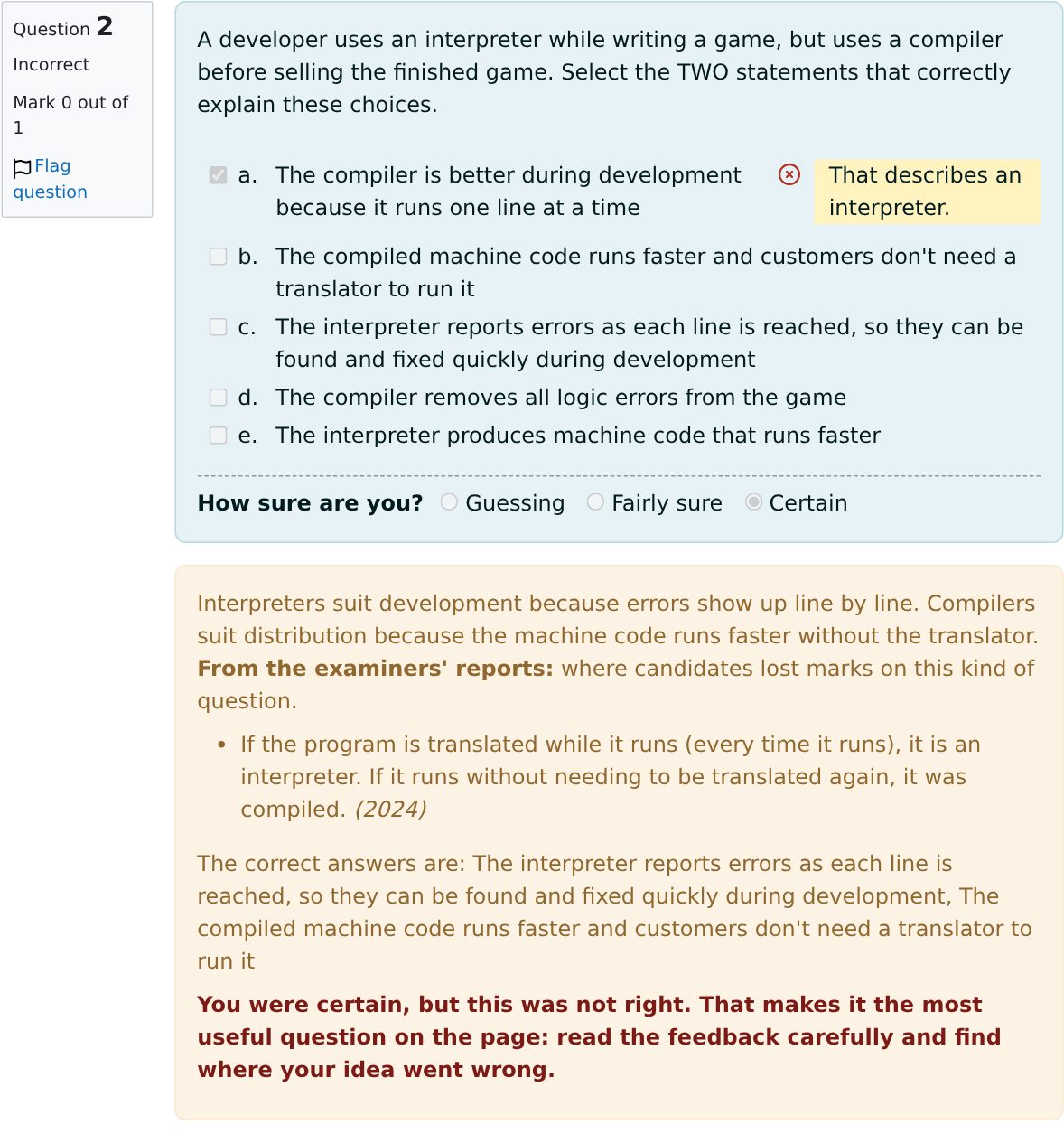
Feedback that teaches. Every wrong answer explained. Say how sure you are, and the mistakes you were sure about are flagged. 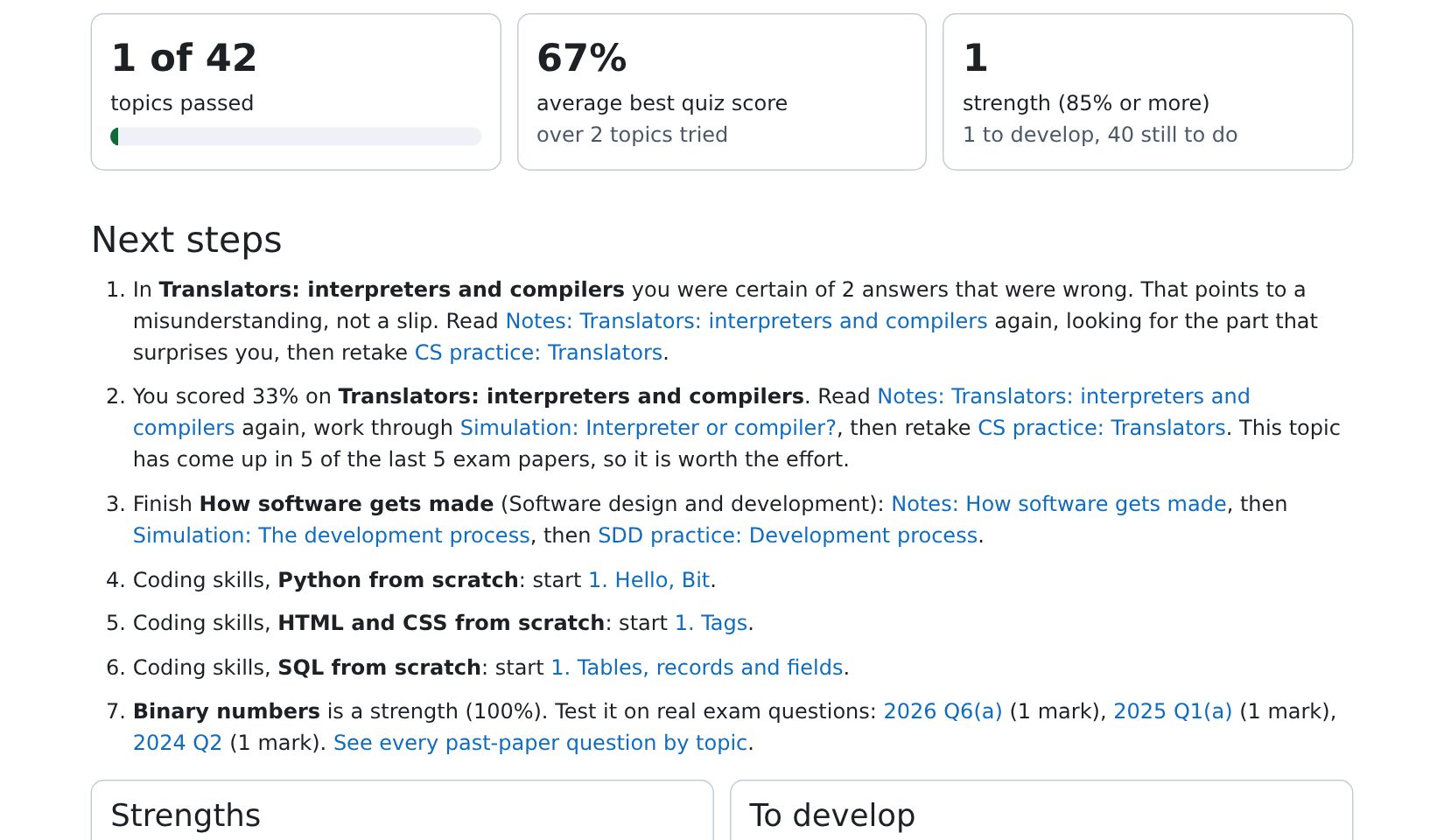
Always know what next. The dashboard shows strengths, what to work on, refreshers that are due and the next step. 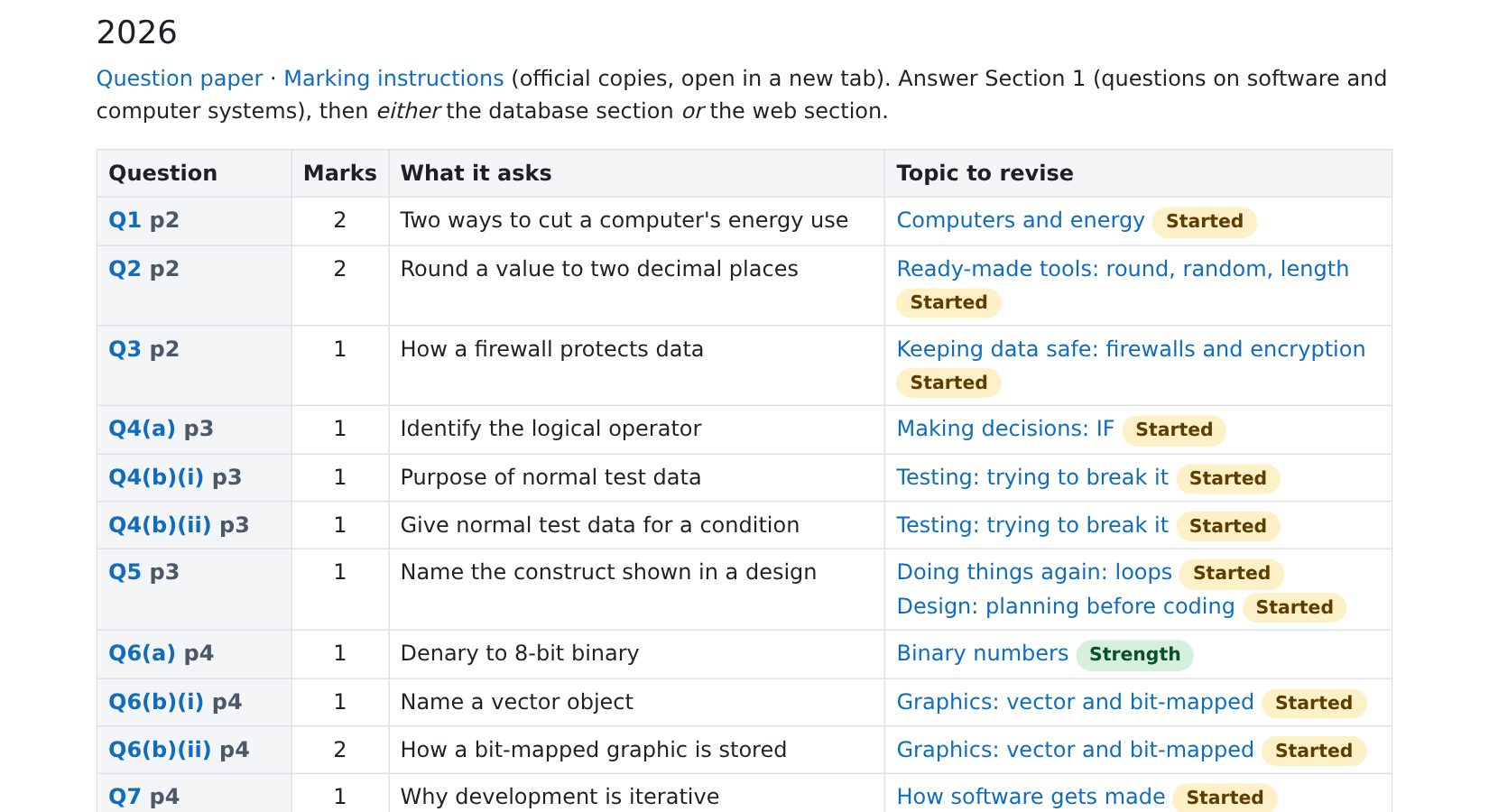
Past papers, sorted. Every question since 2022 matched to its topic, opening the official paper at the right page. 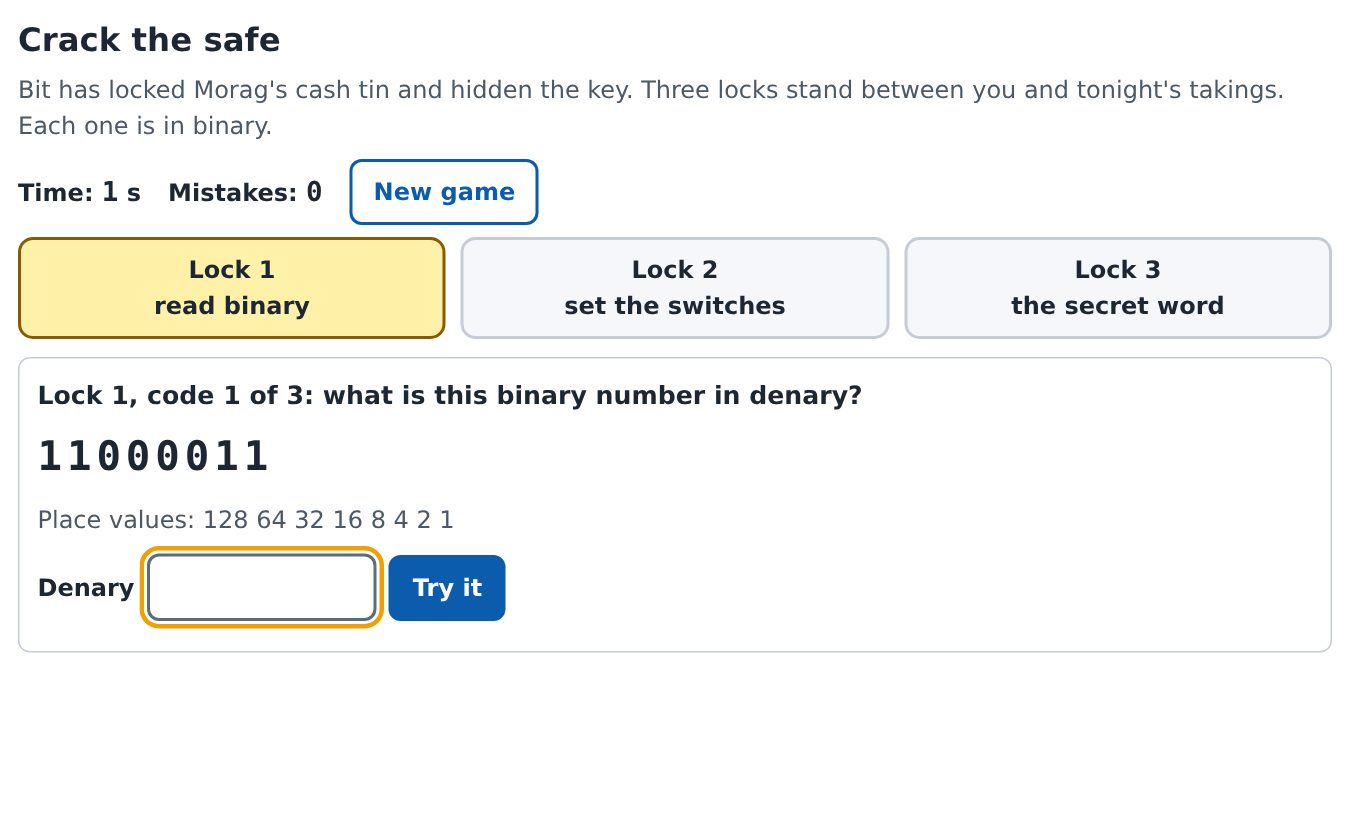
A revision game for each unit. Crack the safe with binary, solve a database mystery, and more. 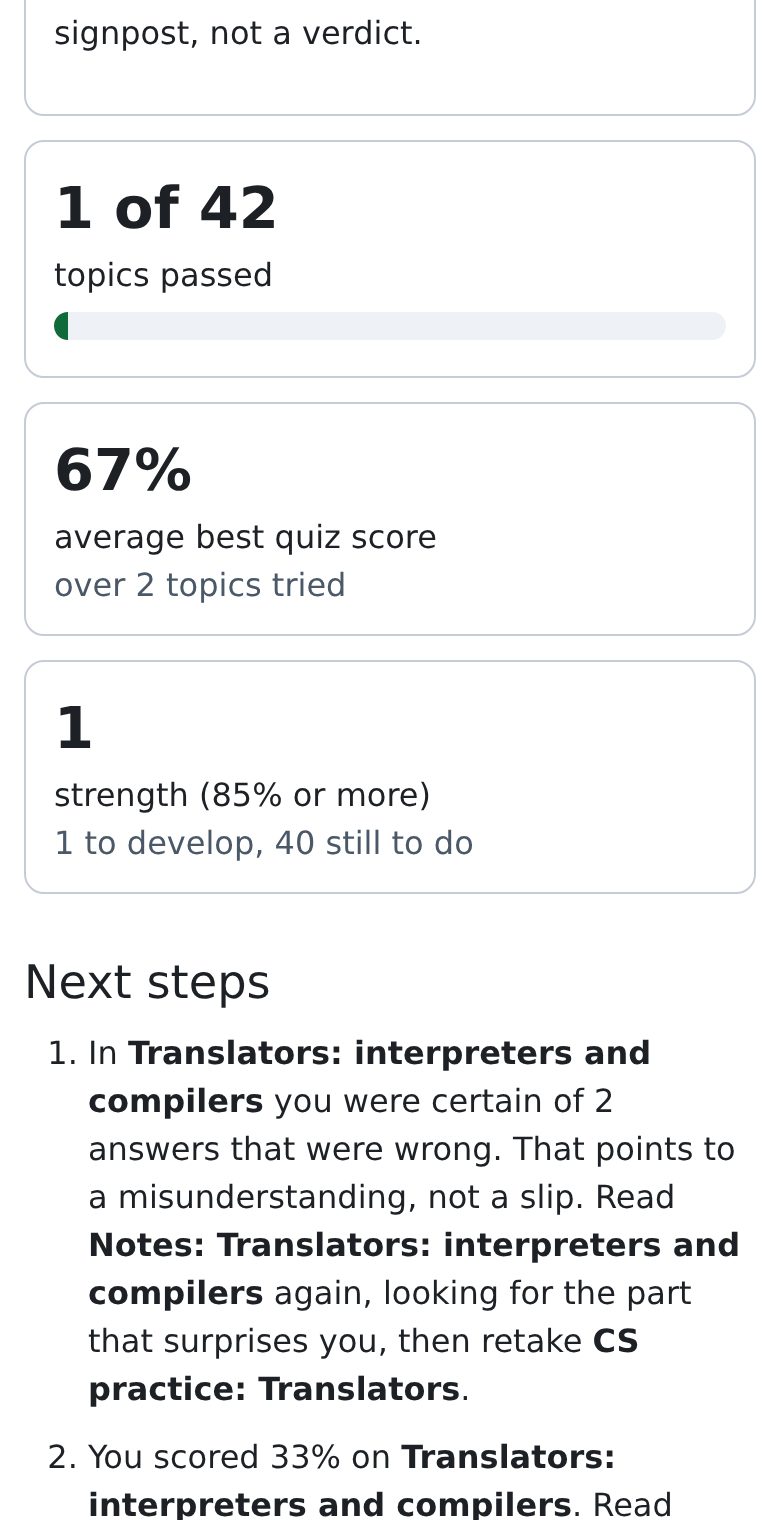
A report for home. A weekly email and a live report for parents, carers and tutors, with no login. Try it free: a simulation, a coding lesson and five questions, no account needed
What you get
Notes that make sense
Short, clear notes for all 42 topics, with diagrams, written to be read by a 15-year-old. Every note ends with In the exam: how the topic is asked and what gains the mark. Printable booklets and mind maps too.
Try it, don't just read it
Step through programs line by line, build database queries, convert binary, design web pages. Each simulation ends with a quick check that you have got it.
Real coding from scratch
Three skills units: Python, HTML and CSS and SQL from scratch. You type real code in the browser, run it against real data, and your exercises are checked and saved as you go. Nothing to install.
Exam practice that teaches
42 practice quizzes in the style of the exam, with new questions every time. Every wrong answer explains why it is wrong, written the way exam markers think.
A dashboard that tells you what next
See what is done, what is strong and what needs work. It points to the next thing to do, the topics due for a refresher, and the real past-paper questions on each topic.
Revision games and badges
A code-breaking safe, a database detective story and more, one game per unit. Badges for finishing units, passing every topic and getting exam ready.
For parents and carers
You create your child's account, so the emails come to you.
A weekly email shows what was done, what is going well and what to work on next, with a link to an always-up-to-date progress report. No login needed for you. Pupils can also share that report with a tutor or teacher, and cancel the link at any time.
How it compares
Different kinds of help do different jobs. Here is an honest comparison. Many pupils use more than one: this site works well alongside a teacher, a tutor or a revision guide.
This site Private tutor Revision guide or textbook Free school platforms AI tutor apps and chatbots Cost One price for a year Paid by the hour One-off, low cost Free through school Free or monthly Written for N5 Computing Science Yes: mapped to the course, topic by topic Depends on the tutor Yes Yes Some apps are built for Scottish courses; chatbots are not, and can be wrong Learn by doing Yes: 41 simulations and real code Yes, in the session No Some interactive material Explains; you read and type Exam-style practice with feedback Yes: 819 questions, every wrong answer explained Yes Answers at the back Yes: topic tests Generated and marked by the AI Knows what you should do next Yes: dashboard and next steps Yes: their big strength No Some, for teachers Some apps track progress Available any time Yes Booked sessions Yes Yes Yes Keeps parents in the loop Yes: weekly email and a live report A chat after sessions No Through the school Some apps A person to ask No: ask your teacher Yes No Some live sessions An AI, not a person Built with science
The way the site teaches comes from computing education research: predicting before running code, tracing programs step by step, putting code in order before writing it, spacing out practice, and learning most from the mistakes you were sure about. See the research behind it.
Questions
Does it cover the whole course?
Yes: all four areas (software design and development, computer systems, database design and development, web design and development), mapped topic by topic to the official course specification.
Does it help with the assignment?
It teaches the skills the assignment needs: programming, databases and web pages. It never gives help with a live assignment task, which would be against the rules.
Can I get a refund?
Yes. If it is not right for your child, email us within 14 days of paying and we will refund you in full.
What do I need?
A web browser on a computer, tablet or phone. Everything runs in the browser. A computer or tablet is best for the coding lessons.
Are you the exam board?
No. This site is independent and not connected to the SQA or Qualifications Scotland. It links to their official past papers rather than copying them.